Install Floppy Disk Program

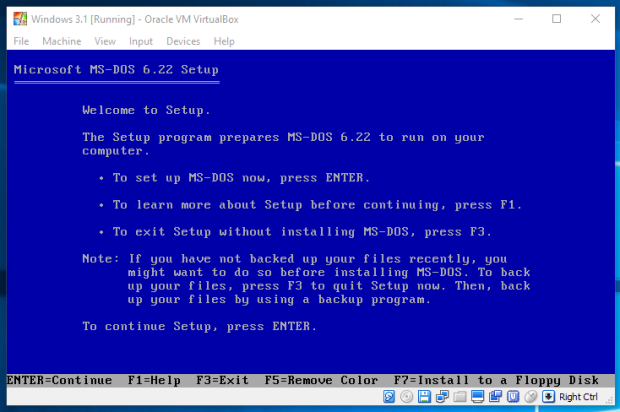
How to use Floppy Disk on Windows 10. Maybe some old favorite software or game installation processes require the usage of. Create a Virtual Floppy Disk on. The most distinctive feature of this cable is that it has a twist at one of its ends (at the end that should be connected to the floppy disk drive, by the way). Figure 3: Floppy disk drive cable. For installing the floppy disk drive you will also need four 4-mm M3x0.5 round-head screws – a.k.a. Short thin-thread rounded head screws, see Figure 4.
Cost/usage factor By that I assume that you mean it's just not worth the cost to actually buy a current version of the program; and I totally understand that. Multi-disk programs The short answer to your question is 'Maybe.' Unfortunately, it really depends on: • Exactly how the program's own setup program (if it has one) is set up; • Or how the program, itself, is setup. The problem is that the program may be hard coded to expect a floppy drive - and only a floppy drive. It may be hard coded to expect four different medias - so you might be able to copy to four CDs, (which is kind of a waste of media) but potentially it could work.
Now, what I have seen (and I've actually seen this quite often), is that there are two scenarios that are definitely worth exploring. Use folders One is to create four folders on a CD: • A folder for disk one, a folder for disk two and a folder for disk three and disk four. • Copy the contents of each disk into those folders; • And then burn the CD with these four folders. Reimage Serial Number Download Manager. You may be able to run the program (or its setup) from the 'disk one' folder. When it looks for the next floppy you may be able to direct it to the 'disk two' folder. Use the full CD Now, that's one approach.
The other approach, that sometimes works, is to: • Copy all of those files, from all four floppies, into a single folder; • Or, in fact, into the root of what you will eventually burn as your CD. Sometimes that works. Unfortunately, there's no guarantee that one specific way is going to work or not. That's why I have to kind-of waffle. And I have to kind-of say these are the things you want to try. Finding a floppy drive Now, the one thing you haven't stated (that is kind of a pre-requisite for all of this) is that you have at least one machine, somewhere, that has a floppy drive that can read these four floppies - so you can actually do this.
I'm assuming you do because there's gotta be a way to get it to this other machine. But on the machine that has the floppy drive, these are the kinds of things you want to try: • Copy the contents into a single folder; burn that folder as a CD; • Copy the contents of each floppy into its own folder and then burn that set of four folders into a single CD • And otherwise you might be out of luck. I'm not really sure that I've not encountered any other approaches to solving this particular problem other than the two that I've just listed. Pscowboy August 17, 2012 9:15 AM Don't forget to add that you need to produce the first cd as 'bootable' in your burn program. Otherwise, all you have is a data disk of files.
Go to a friend who has a working floppy drive, including USB. Using Nero Burning Rom, put floppy #1 in, scroll down to CDROM 'Boot' & fire it up.
Click radio button 'Bootable Logical Drive Must Be A:' Click New, then click the Burn icon on the tool bar. Check: Write & Finalize - burn. This will temporarily cause the DVD drive to act as a floppy drive.
The next three floppies you can burn as separate data discs using Nero Express. Scott Currier August 17, 2012 9:40 AM I've been doing a lot of retro computing lately. Fortunately a lot of the old programs will install from the hard drive if you copy all of the files into a single folder. For those that won't. My plan is to pick up a pack of CD-RW's and use them as floppies. If the program requires drive letter A I'll try the subst command or find another way to change the drive letter of the CD drive to A.
If it was only one program, I'd just use regular CD's. But, I expect to have to do it with several programs so it will be worth getting a pack of RW's. I installed QEMM 8.0 and Desqview 2.8 from folders on the hard drive. Same with Windows 3.11WG and Windows 95.
It's been fun using software from the late 80's and early 90's. One of these days I will try Windows 386 V 2.0. Yeah Windows 2. I remember it vaguely from the mid 80's. Never used it much.
Joseph Damien August 17, 2012 10:08 AM My problem and question relates to this subject. I have many old floppies I would like to copy to either my hard drive or to CD's. I do have a floppy drive, Samsung SFD-321U/EP and I have the CD that came with it. It worked fine on my old XP system computer.
I bought a new desktop with Win7 Home Premium and hooked up this floppy but it would not work with Win 7. I tried to use the CD but that did not work either. I did try to find any new drivers that might work with Win 7 but no luck.