Free Download Program Ccleaner
Ccleaner free download free download - CCleaner, CCleaner, CCleaner, and many more programs. Download CCleaner for Windows now from Softonic: 100% safe and virus free. More than 93376 downloads this month. Download CCleaner latest version 2018.
CCleaner automatically deletes unneeded files and Windows Registry entries. It can also detect duplicate files, securely wipe a storage device, and act as an alternative to Windows' Programs and Features tool for uninstalling software. Pros One-stop shop for junk file cleanup: without downloading another app, but it's handy to have those cleanup tools a mouse click away. With CCleaner, you just hit the Analyze button and the app will inspect and tidy up storage space hogs, like Web browser caches, temporary files, and Windows log files. Lots of optional settings to customize behavior: By default, CCleaner deletes files but doesn't fully erase them. The difference is that a deleted file doesn't immediately disappear; it just becomes a section of your storage device that Windows can put other files on.
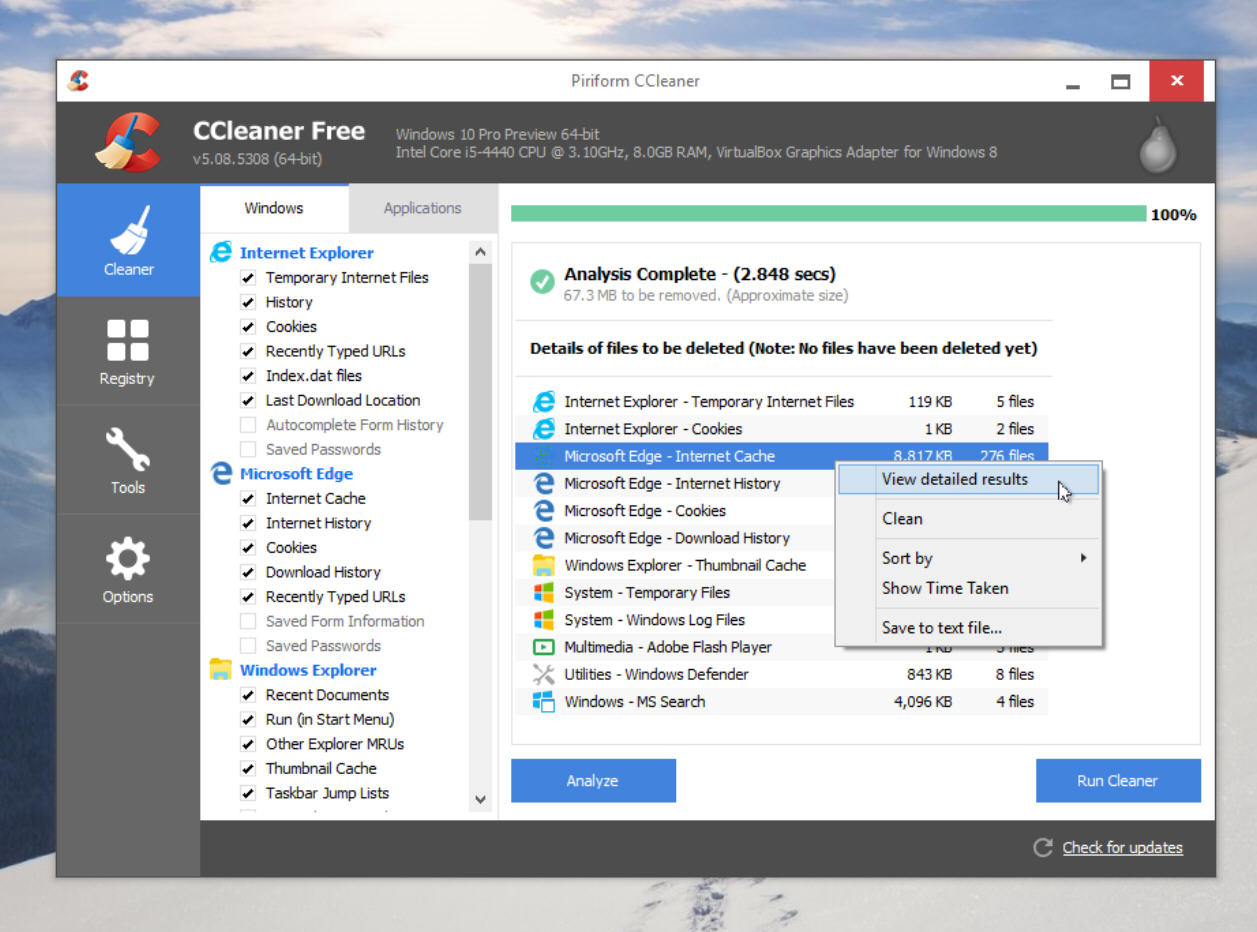
If you're more security minded and want to fully erase unwanted files, CCleaner's Analyze writes over them with random ones and zeroes, up to 35 times. Other settings let you specify browser cookies that you always want to keep, add custom folders for CCleaner to analyze, or exclude other folders. Dve Digital Video Essentials Download more. Low-key sales pitch: The free version of CCleaner doesn't bug you about paying for the premium version, nor does its interface try to trick you into looking at a sales pitch. Cons Some storage savings is temporary: This is not a flaw in CCleaner, just a fact of Web browsing: Deleting your browser cache can get rid of gigabytes of files, but your cache will fill up again over time, so that recovered storage space isn't permanent. Also, your previously visited pages will take longer to reload if you delete all the files in the browser cache. Cache deletion may be a good practice for privacy-oriented users, or for people transitioning to a different browser, but we would not wipe the cache by default. Problematic analysis results: In our tests, CCleaner detected a whopping 7GB of log files created by Windows, which it automatically flagged for deletion.
Many of these were hundreds of megabytes in size. However, log files can be useful if your computer is misbehaving, as they contain error messages to assist you or a technician. They're not supposed to get anywhere near this large, and old logs just tend to sit unused and take up space, but we'd prefer to keep at least the most recent one by default, in case something goes haywire later. Download Yakyuken Bios. Meanwhile, Windows' own Disk Cleanup tool detected 750MB of deletable system files that CCleaner did not find. These were previously installed Windows Update patches. Erw 2.8.1 Software Download here. If Windows says that they're OK to delete, it's a mystery why CCleaner -- which ordinarily takes a more aggressive approach -- did not flag them.